a cozy, supportive membership for busy women who want a calmer, simpler digital lifE
Get and stay digitally organised
one step at a time
Cancel anytime.
WATCH THE 2-MIN TOUR!
Getting digitally organised doesn’t require perfection, discipline, or massive end-of-year clean-ups.
How it works in three simple steps:

01: SIMPLIFY
Learn simple, practical digital systems through short step-by-step courses covering Gmail, Google Drive, Canva, Google Photos, passwords, contacts, and more.

02: IMPLEMENT
Use weekly online co-working sessions as focused time to finally watch the lessons, organise your digital spaces, and make real progress.

03: MAINTAIN
Stay organised long-term with tiny habits, monthly online digital reset sessions, and ongoing support that helps your systems stay manageable in real life.
The problem was never you.

Technology changed faster than anyone ever taught us to keep up with it. Nobody sat you down and explained how to run an inbox, a camera roll, or a Google Drive, so you improvised. And most of what's supposed to fix it wasn't built with a busy woman in mind.
Sounds familiar?
"I have 3,000+ unread emails. Is there any hope for me?"
"My Google Drive is a complete mess, where do I even start?"
"My Canva is like a graveyard of designs I've barely used."
"I have about 11,000 photos on my phone, and I'm too nervous to delete any of them."
So you tried the big clean-up weekend. The 47-folder system somebody swore by. The app that promised to sort it all out in a weekend. A course we never quite finish.
And then life happens.
Everything slowly unravels again.
Not because you failed —
but because there was nothing in place to hold the system. And most of the solutions don't account for the fact that you're already juggling a business, a family, and everything in between.
I know this cycle— because I lived it too.
Even with an IT background, I kept telling myself,
“I’ll organise this later.”

Later never came, not because I was lazy, but because real life doesn't leave room for willpower-based systems.
What worked wasn't complicated. Simple setups, clear rules for where things go, and protected time to maintain it. That's the whole reason this is a membership, not just another course.
Imagine a digital life that runs quietly in the background.
Calmer mornings. Clearer decisions. Less mental noise.
Not because everything is perfect or colour-coded — but because things are handled.
They’re organised well enough.
And you trust yourself to deal with whatever shows up next.
You know where things go.
You can find what you need when you need it.
Your systems don’t collapse the moment life or business gets busy.
What's included in the membership

A Clear Plan
Clear, practical courses covering email, Google Drive, Canva, photos, and more. No perfectionism. No overcomplication. Just systems that save time and reduce friction.

Protected Time
Weekly online co-working sessions and monthly Digital Resets —
so things actually get done and stay usable as your business evolves.
You don’t have to rely on motivation or “doing it later”.

Ongoing support & safety
A calm, distraction-free space filled with women who get it. Share your wins, ask questions, and celebrate progress — without noise or overwhelm. Get personalised feedback from Yulia so you’re never stuck or confused.
Ready to get started?
Cancel anytime.
Short, practical courses covering the digital areas that matter most.

Gmail Reset
Inbox zero in under an hour, then a simple system to stay on top of it in just 30 minutes a day. Finally feel in control of your email.

Google Drive bliss
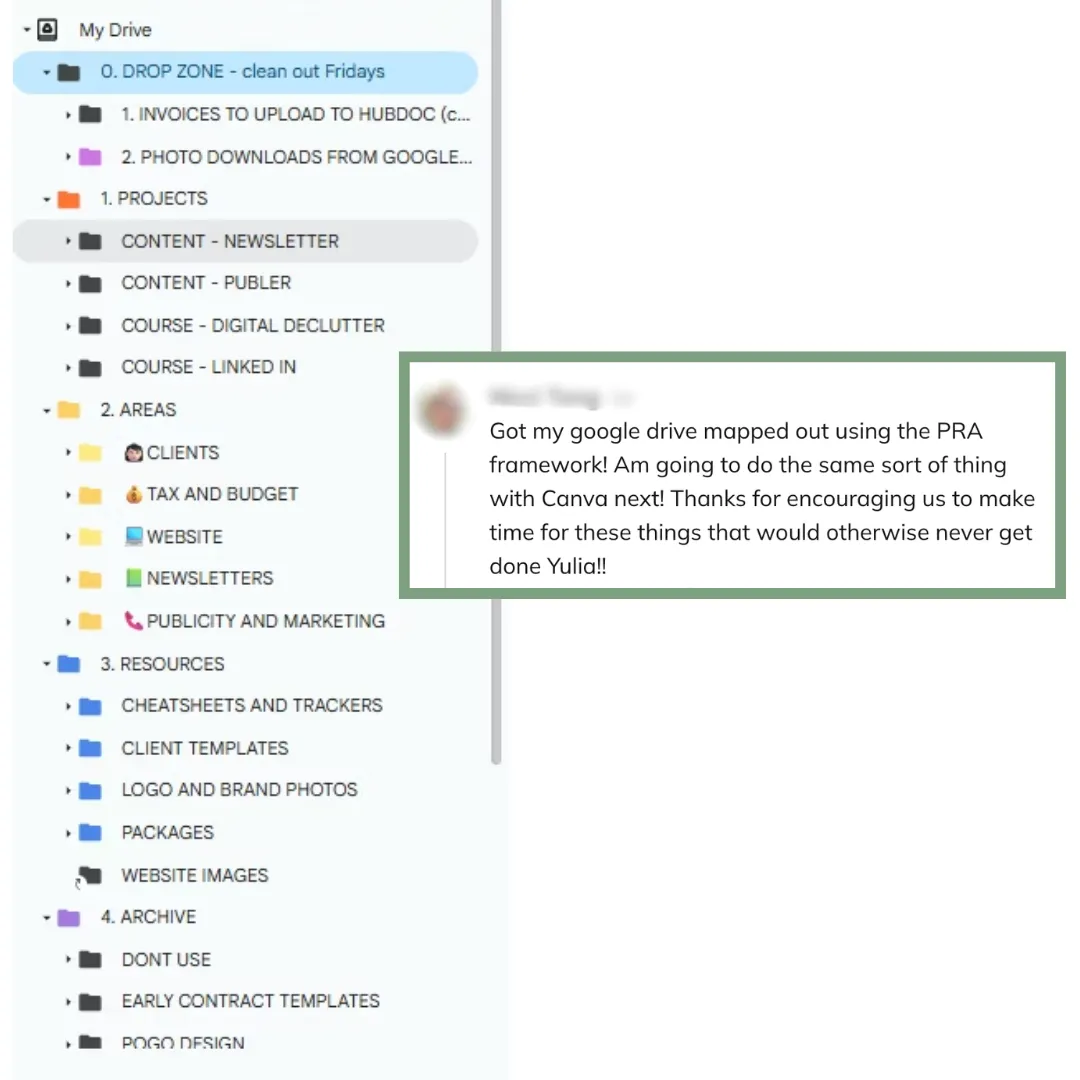
A folder structure and naming convention you'll actually remember in six months. Find any file in under 20 seconds.

Canva
A Canva that finally feels like a creative space, not a source of dread. Know exactly where your designs live.

Google Photos
All your precious memories, one consolidated home. Sorted, safe, and actually searchable.

passwords
One simple, secure system (hello, 1Password). Finally retire the spreadsheets and sticky notes.

contacts
One clean, consolidated address book for every contact that matters.
what our members say...
✪✪✪✪✪
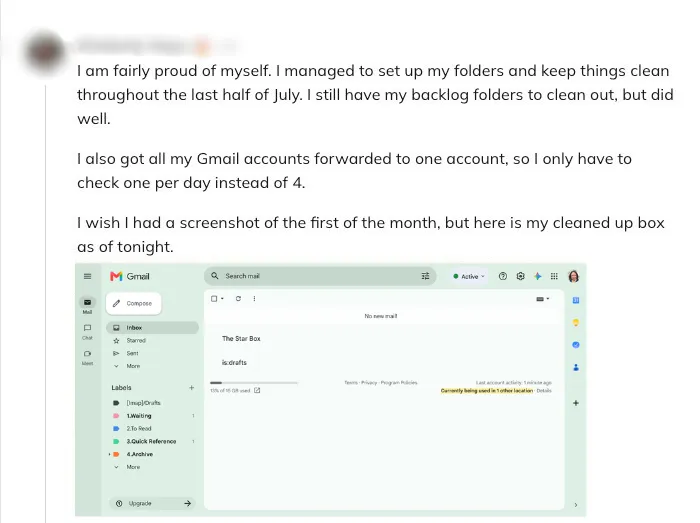
"I used to think that's just how everybody did email, until I realized other people did it differently. Once I started taking action instead of just piling things up, it bled into everything else, my files got sorted too.
The co-working sessions are what actually made it stick, having that designated time, knowing Yulia would be there for my questions. Left to just me, I probably never would have done it. Now my email gets cleaned out a few times a week and it only takes about five minutes. I finally feel like I have control."

-
Kimberly
✪✪✪✪✪
"Sorting out my photos has been something I've wanted to do, but I'd been too overwhelmed by the number of files scattered across three devices and so many folders. Having both the structure and the time to actually get started has been a game-changer."

-
Sarah
This membership is for you if...
you want simple digital systems that actually hold
you’re tired of paying for chaos with your time
you value gentle accountability
This probably isn’t the best fit if you…
want a one-time clean-up
expect rigid corporate systems
want someone else to do everything for you
Need something more one-to-one? I do offer private support as well — send me a message and let's talk it through.
SCROLLING TEXT | SCROLLING TEXT | SCROLLING TEXT | SCROLLING TEXT |SCROLLING TEXT | SCROLLING TEXT | SCROLLING TEXT | SCROLLING TEXT |SCROLLING TEXT | SCROLLING TEXT | SCROLLING TEXT | SCROLLING TEXT |SCROLLING TEXT | SCROLLING TEXT | SCROLLING TEXT | SCROLLING TEXT |SCROLLING TEXT | SCROLLING TEXT | SCROLLING TEXT | SCROLLING TEXT |SCROLLING TEXT | SCROLLING TEXT | SCROLLING TEXT | SCROLLING TEXT |SCROLLING TEXT | SCROLLING TEXT | SCROLLING TEXT | SCROLLING TEXT |SCROLLING TEXT | SCROLLING TEXT | SCROLLING TEXT | SCROLLING TEXT |SCROLLING TEXT | SCROLLING TEXT | SCROLLING TEXT | SCROLLING TEXT |SCROLLING TEXT | SCROLLING TEXT | SCROLLING TEXT | SCROLLING TEXT |SCROLLING TEXT | SCROLLING TEXT | SCROLLING TEXT | SCROLLING TEXT |SCROLLING TEXT | SCROLLING TEXT | SCROLLING TEXT | SCROLLING TEXT |SCROLLING TEXT | SCROLLING TEXT | SCROLLING TEXT | SCROLLING TEXT |SCROLLING TEXT | SCROLLING TEXT | SCROLLING TEXT | SCROLLING TEXT |SCROLLING TEXT | SCROLLING TEXT | SCROLLING TEXT | SCROLLING TEXT |SCROLLING TEXT | SCROLLING TEXT | SCROLLING TEXT | SCROLLING TEXT |SCROLLING TEXT | SCROLLING TEXT | SCROLLING TEXT | SCROLLING TEXT |SCROLLING TEXT | SCROLLING TEXT | SCROLLING TEXT | SCROLLING TEXT |SCROLLING TEXT | SCROLLING TEXT | SCROLLING TEXT | SCROLLING TEXT | SCROLLING TEXT | SCROLLING TEXT | SCROLLING TEXT |SCROLLING TEXT | SCROLLING TEXT | SCROLLING TEXT | SCROLLING TEXT |SCROLLING TEXT | SCROLLING TEXT | SCROLLING TEXT | SCROLLING TEXT |SCROLLING TEXT | SCROLLING TEXT | SCROLLING TEXT |
FOUNDING MEMBER PRICING ENDS 1 SEPT 〰 ☕︎ 〰 LOCK IN $19 OR $39/MONTH 〰 ☕︎ 〰 PRICE RISES TO $49/$69 AFTER 〰 ☕︎FOUNDING MEMBER PRICING ENDS 1 OCT 〰 ☕︎ 〰 LOCK IN $19 OR $39/MONTH 〰 ☕︎ 〰 PRICE RISES TO $49/$69 AFTER 〰 ☕︎FOUNDING MEMBER PRICING ENDS 1 OCT 〰 ☕︎ 〰 LOCK IN $19 OR $39/MONTH 〰 ☕︎ 〰 PRICE RISES TO $49/$69 AFTER 〰 ☕︎
Everything you need to stay out of digital firefighting
Step-by-step organisation courses (Gmail, Drive, Canva, Photos & more)
Supportive, not-on-Facebook community
One online Digital Reset session a month, your guided monthly catch-up
Complimentary onboarding call, and feedback from Yulia inside the comminity
Supportive, Not-on-Facebook Community
Discounted access to occasional Wellington-based in-person sessions
Everything you need to stay out of digital firefighting
Before you look at the price, consider this: Losing one important email, file, or client opportunity often costs more than this membership.
Foundations
For when you just want the roadmap, and you'll do the walking.
NZD$49/m
NZD$19/m
Step-by-step organisation courses
Supportive, Not-on-Facebook Community
One Digital Reset session a month, your monthly reboot
Feedback from Yulia inside the community, so you're never guessing alone
momentum
For the woman who knows she needs someone expecting her to show up.
NZD$69/m
NZD$39/m
Everything in Foundations
5 protected co-working sessions a month (incl. your Reset)
Complementary onboarding call + personalised starting plan
Cancel anytime.
Prefer to pay less often? Quarterly billing's available at checkout on both plans, basically two free weeks back in your pocket every quarter.
Our coworking schedule
Sessions run weekly online, rotating between Wednesdays and Thursdays at 10 a.m. NZDT. Our Digital Reset sessions are usually held every last Friday of the month. Times are in Pacific/Auckland; use the timezone dropdown underneath the calendar to see it in yours.
Have Questions? I've Got Answers.
Can I cancel anytime?
Yes. You can cancel anytime directly from your account, no awkward emails needed. You'll keep access until the end of your current billing period.
Will I always have access to the courses?
Yes. You'll have full access to all trainings and materials for as long as you're a member.
What if I get stuck?
You'll never be left on your own. If you hit a roadblock, post your question in the community, write it, or record a quick video, and I'll personally reply with tailored feedback (often via video!) to help you move forward.
I'm not very tech-savvy. Will I be able to do this?
Absolutely. If you already use Gmail, Drive, or Canva, you'll be just fine here. Every training is beginner-friendly, with step-by-step walkthroughs, screen recordings, and plenty of support along the way. And remember, no question is too small.
Do I have to use Google products?
Some trainings (like Gmail, Drive, Photos) use Google tools, but the frameworks I teach can easily be adapted to others. If you prefer different tools, I'll help you tweak the process to fit your setup.
Are the courses live? Do I need to show up at a specific time?
Nope! All core trainings are pre-recorded so you can watch at your own pace. Inside the membership, there are live elements too, co-working sessions and Digital Reset sessions ( depending on your plan ). These are optional, and you're always free to join when it fits your schedule. That said, if the time works for you, I highly recommend joining as many live sessions as you can, this is where the real 'follow-through' magic happens.
What if I fall behind or lose motivation?
There's no such thing as 'behind' here. This membership is built for real life, you can restart anytime. The bite-sized resources are always available, and if you're on Momentum, co-working sessions make it easy to re-engage. And your next Digital Reset session is always your safe, gentle restart.
When are the co-working sessions?
Sessions run weekly online, rotating between Wednesdays and Thursdays at 10 a.m. NZDT. Our Digital Reset sessions are usually held every last Friday of the month. If you're in a different time zone, use the calendar widget on this page to switch to your local time zone and see if it works for you.
Will this help me with my personal digital life, too?
Definitely. The systems I teach work for both personal and business spaces, you can use the same simple frameworks to organise your Gmail, Drive, Photos, and Canva for home or work
Ready to stop paying for chaos with your time?
Cancel anytime.